Core Drag&Drop
The certified extension for Microsoft Dynamics 365 Business Central that simplifies document filing in SharePoint. Drag, organize and access your files directly in the ERP, without increasing database storage costs.


End lost attachments in Business Central.
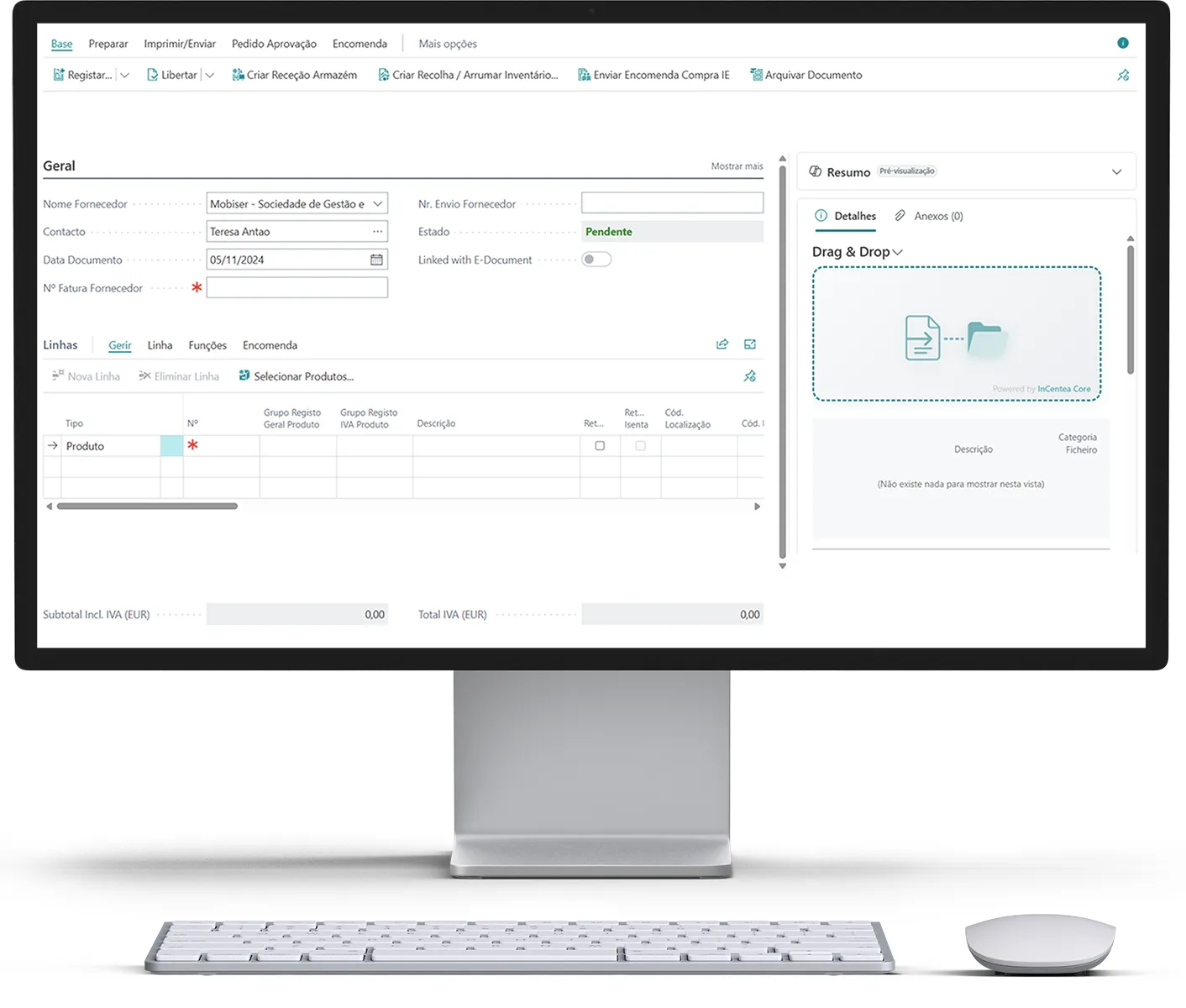
Core Drag&Drop transforms the way your organization files documents. Drag, categorize and organize — files stay in SharePoint, classified, named according to business rules and accessible directly from Microsoft Business Central records.
- Cloud-ready · BC 26+
- Native SharePoint integration
- Automatic categorization and naming
The problem Core Drag&Drop solves.
Business Central was not designed to be a document archive. Saving files as native attachments takes up paid database space, does not allow organization by folders, has no version management and forces users to leave the context of the document to find what they need.
Organizations accumulate PDFs, images and spreadsheets scattered across emails, network folders and sharing platforms with no link to the BC record they belong to.
Core Drag&Drop solves all of this with a single extension.
Save on Business Central storage.
Native Business Central storage is charged per GB of database. Every PDF invoice, proof of payment or image saved as an attachment in BC adds to that cost.
Files are sent directly to SharePoint without touching the BC database.
BC stores only metadata and links, with negligible size.
The greater the volume of documents, the greater the savings. The cost of Core Drag&Drop pays for itself quickly.
Organizations with high volumes of documents can migrate their existing archive, freeing up Database space and reducing the storage bill immediately.
SharePoint as the source of truth for the archive.
Unlike native attachments, SharePoint offers a complete document ecosystem. Core Drag&Drop takes advantage of these capabilities directly from BC:

Version management.
SharePoint keeps the complete history of changes to each file. If an invoice is corrected, the previous version is always available — without duplicating records in BC.

Access and co-authoring.
Teams access documents through BC and also through SharePoint, Teams or a browser, with the usual Microsoft 365 permissions.

Search and indexing.
SharePoint indexes the content of files. A user can find a document by the text inside the PDF, regardless of the file name.

Compliance and retention.
Microsoft 365 retention and compliance policies apply to files automatically. No extra configuration.
File categorization
Not all documents are the same. Core Drag&Drop lets you define types and categories for each uploaded file.

Create configurable formats (e.g., Invoice, Delivery note, Contract, Proof of payment, Technical specification).
Associate allowed extensions with each format. The system validates and blocks unauthorized types.
Assign a category to each attachment to filter and segment the archive.
FactBoxes show documents filtered by type and category, in the context of the document you are working on.

Search via Navigate finds documents by type, category or associated record.
Automatic folder organization in SharePoint.
Forget manually created folders and inconsistent structures.
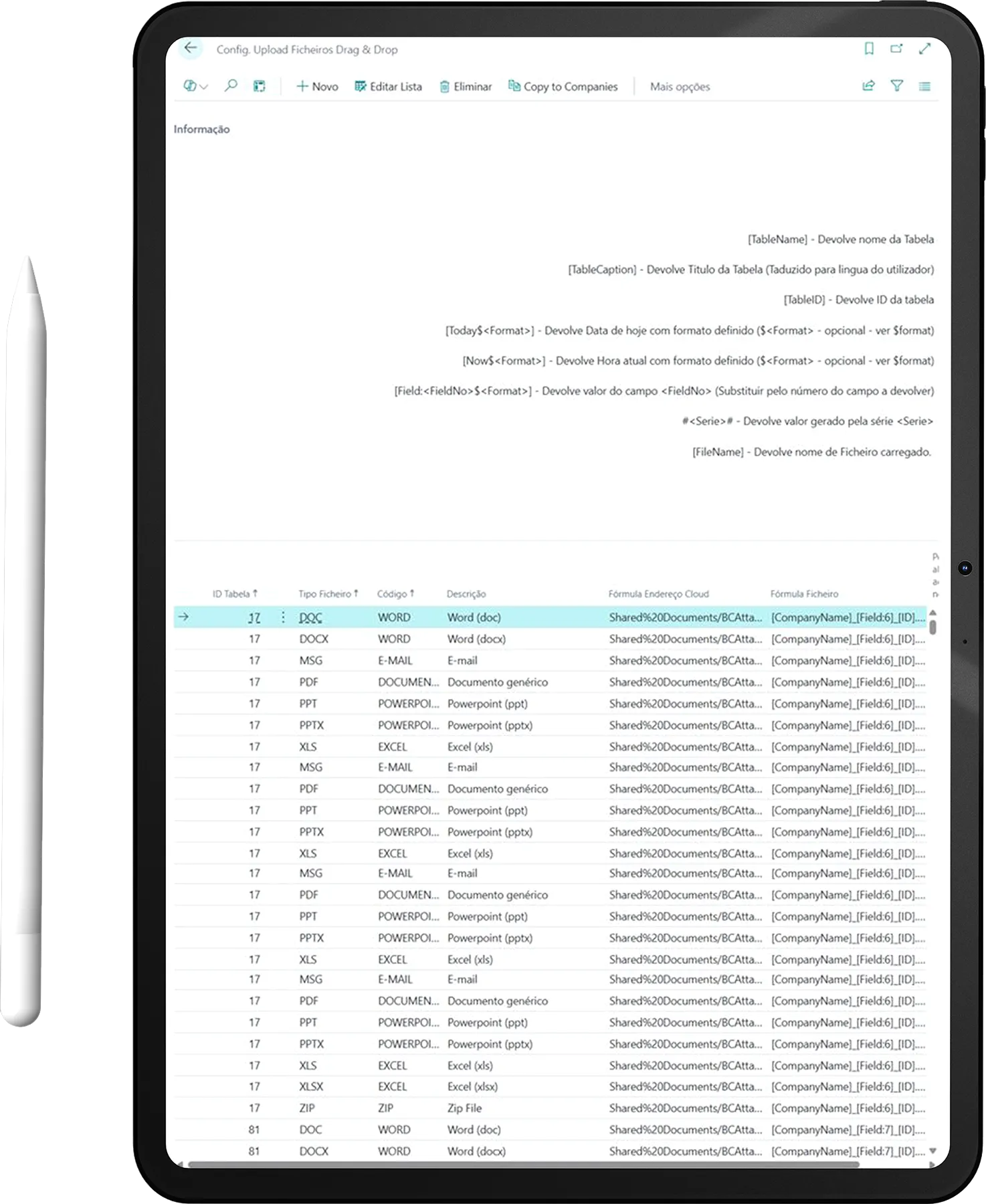
Core Drag&Drop uses formulas to build the folder hierarchy automatically, based on the data of the BC record itself.
Examples of configurable formulas for the SharePoint folder path:The system automatically creates the folder hierarchy in SharePoint if it does not yet exist, without errors and without manual intervention.
File categorization
An archive is only useful if files have consistent names. Core Drag&Drop applies naming formulas at upload time, ensuring uniformity across the organization.
Invalid characters are replaced automatically — naming errors never occur in SharePoint.
Complete features
How it works, in three steps
Configure once.
The administrator defines the rules by document type: which extensions to accept, which folder formula, which file name formula, and whether the user can override manually. Once this is done, the behavior is automatic for all users.
Use whenever you need.
The user opens the invoice or order and drags the file to the drop zone or uses the available actions. The file goes up to SharePoint, in the right folder, with the right name, linked to the record. The FactBox confirms immediately.
Effortless management.
The maintenance panel shows all the totals, identifies all orphaned references and lets you clean them up. The audit log records everything. SharePoint keeps the complete history of all versions. Nothing is lost.
Who is Core Drag&Drop for?
Immediate reduction in BC storage costs. An organized, auditable document archive, integrated into the process.
All technical documentation, contracts and communications are organized by project, accessible from the BC project card and in SharePoint.
Attaching the supplier invoice, proof of payment or delivery note takes seconds, without leaving the document they are working on.
BC Flexible configuration by table and document type. Architecture based on published integration events for extensibility. Easy to include in vertical solutions.
Discover more Microsoft solutions.

Microsoft Dynamics 365 Business Central

Microsoft Dynamics 365 Project Operations